Recent Posts



Imagine being born chadpreet
































MADAD KARDO ANONS

ZwStGS
No.464868
bc maa chud gyi
mai dual boot kar na chahta tha
Uske liye partition create kiya 40gb ka out of 400gb wali disk, jab us OS mai boot huya tab install ka option aya,
Phir maine manual partitioning ki, aur galti se 400gb wale partition ko chose kiya instead of 40gb wala partition.
Waha pe likh ke aya ki this will be formatted as ext4(maybe overwrite instead of format)
Lekin maine install nhi Kiya ,after realising it, mai ne back aur quit kar diya
Ab mera primary OS windows ko boot wali file nahi mil Rahi,, mere pure files usme the, itne saare memes ,book PDFs, study materials, important documents sab usme the
Maine gemini se puchkar testdisk, photorec try Kiya lekin kuch mil nahi Raha hai, kya vo files ab bhi possible hai milna, mai linux pe hu abhi, meri gaand phat gyi hai ye sochkar ki saare files aur windows udd gye hai
Please help me out anons
>Pic unrel sorry
ZwStGS
No.464870
>>464868(OP)
Maine os install nhi kiya lekin vo 400gb wale partition ko root folder banane ke chakkar mai format kardiya hai
1MIgWx
No.464874
Make a portable USB linux boot, boot using that, then connect an external HDD and copy your fag porn if it shows up easily, if not, run some data recovery software to recover your fag porn, copy it all to external HDD, then format the whole internal HDD and start from scratch
ZwStGS
No.464875
>>464870
bump
ZwStGS
No.464879
>>464874
I installed linux os using separate partition and grub2win and not usb, dear sir

heF95I
No.464881
>>464868(OP)
you mean your bootloader ?
ZwStGS
No.464884
>>464880
Yaar urgent hai, mera paper hai kal, aaj iss chakar mai kuch padhai nhi huyi hai
1MIgWx
No.464885
>>464879
Read again what I've written, I've provided a potential solution and it'll require a portable boot install on a USB drive, not sure if it will work or not, but worth a try
ZwStGS
No.464886
>>464881
Ha wahi EFI
ZwStGS
No.464888
>>464885
The recovery software option might help, thank u anon
HXusUK
No.464889
gobarjeet write in english
1MIgWx
No.464892
>>464888
Peace, do update in this thread if it works out
HXusUK
No.464895
Step 1: Confirm disk state.
Open terminal in Linux and run:
lsblk -f
Tell me:
• Do you see an NTFS partition around ~400GB?
• Does it show a label?
• Does it have data size used?
If the NTFS partition still exists, your files are very likely intact.
Step 2: If NTFS is visible, try mounting it read-only:
sudo mkdir /mnt/win
sudo mount -t ntfs-3g -o ro /dev/sdXn /mnt/win
Replace sdXn with the actual Windows partition.
If it mounts and you can see your folders (Users, Documents, etc.), your data is safe.
If it does NOT mount and says filesystem error, do not run random repair tools yet.
What probably happened technically:
• The Linux installer modified the EFI System Partition.
• GRUB replaced Windows Boot Manager entry.
• Windows bootloader files got removed or pointer broken.
• The actual NTFS data partition is likely untouched.
This is a bootloader problem, not necessarily a formatting problem.
Do not use PhotoRec again right now. That tool ignores filesystem structure and is last-resort only when filesystem is destroyed.
The correct recovery path if NTFS still exists:
Option A (cleanest):
Create a Windows bootable USB from another PC → Boot into recovery → Run:
bootrec /fixmbr
bootrec /fixboot
bootrec /rebuildbcd
Option B (from Linux if EFI exists):
Reinstall Windows bootloader using bcdboot from recovery environment.
But before anything, I need disk layout info.
Reply with output of:
lsblk -f
Do not panic yet. Based on your description, full disk wipe is unlikely. The installer does nothing destructive until final confirmation screen.
HXusUK
No.464898
1. Golden Rule: Stop Writing Data
Abhi us 400GB wali disk pe kuch bhi install mat karna, na hi koi nayi file save karna. Jitna zyada write karoge, purane files (memes, docs) overwrite hone ka khatra badh jayega.
2. Check the Current State (Diagnosis)
Abhi tu Linux pe hai, toh terminal khol aur ye command chala:
lsblk -f
Kya dekhna hai? Check kar ki 400GB wala partition (manlo sda2 ya nvme0n1p2) ke aage "FSTYPE" mein kya likha hai.
Agar waha NTFS likha aa raha hai, toh party kar! Tera data safe hai, bas Windows ka "rasta" (bootloader) kho gaya hai.
Agar waha ext4 ya blank hai, toh partition table corrupt hui hai.
3. If it shows NTFS (Mounting)
Agar NTFS dikh raha hai, toh usse mount karne ki koshish kar:
sudo mkdir /mnt/windows
sudo mount -t ntfs-3g -o ro /dev/sdXn /mnt/windows
(Replace sdXn with your partition name, like sdb2)
Agar mount ho gaya, toh tera saara data /mnt/windows mein mil jayega. Usse turant kisi external drive mein copy karle.
4. If TestDisk didn't work initially
TestDisk thoda tricky hai. Tune shayad sirf "Quick Search" kiya hoga.
sudo testdisk chalao.
Disk select karo -> Partition type (usually EFI GPT).
Analyse -> Quick Search.
Agar partition nahi mila, toh Deeper Search karo (it takes time).
Jab 400GB wala partition dikhe, toh P dabakar files check karo. Agar files dikh rahi hain, toh partition table ko Write kar dena.
What happened to Windows Boot?
Zyadatar cases mein Linux installer "EFI System Partition" (ESP) ko chhed deta hai. Agar tera data mil jata hai lekin Windows boot nahi ho raha, toh tujhe ek Windows Bootable USB chahiye hogi:
Usse boot karo -> Repair your computer.
Troubleshoot -> Advanced -> Command Prompt.
Ye commands chalao:
bootrec /fixmbr
bootrec /fixboot
bcdboot C:\Windows (Assuming C is your Windows drive).
Reality Check
Agar tune "Format" pe click kar diya tha aur process 1-2 minute chala, toh file system ka index (MFT) delete ho gaya hoga. Aise mein PhotoRec hi sahara hai, lekin wo files ko bina naam ke recover karta hai (saare PDFs aur images mil jayenge but random names ke saath).
Ghabra mat, mostly partition table ka hi locha hota hai. Mujhe ye bata: lsblk -f run karne par us 400GB partition ke aage kya likha aa raha hai? Uske basis pe main tujhe next command bata paunga.
heF95I
No.464900
>>464886
Have you tried making grub detect windows? Also, past windows back ups will be ther
ZwStGS
No.464901
>>464889
Yaar southie
>Be me
>Wants dual boot with memedows
>No usb :(
>Separates a 40gb partition out of 400gb disk
>Use grub2win to download linux.iso in that 40gb to act as a bootable usb
>Boot into that linux
>Install Linux option
>Manual partitioning
>Accidently clicks the 400gb partition instead of 40gb to install the Linux on
>Realises immediately
>Back and quit it
>Tries testdisk , photorec with the help of gemini
>Mypersonalfilesaregons.jpg
>Onlythatlinuxfilesarehere.png
How to recover those lost files
ZwStGS
No.464911
>>464900
I have installed grub2win, when I boot windows,it appears as file missing type, then at the bottom the press f1-recovery options, when I press it, nothing happens and it takes me back to the grub2win interface on boot
HXusUK
No.464918
>>464901
this might work otherwise try to boot from bios itself.
HXusUK
No.464923
>>464918
after powering on just keep pressing f2 until bios opens then ask jewmini or israelgpt
ZwStGS
No.464933
>>464923
the windows and files are deleted, how will the boot from bios will help?
HXusUK
No.464937
>>464933
are you sure its deleted? it could be bootloader is prefering loonix, did it explicitly say during installation setup that your windows will be overwritten or something related?
ZwStGS
No.464977
>>464937
ok, here it what it was saying:
the file system on /dev//nvme(not typing this) has not been assigned to formatting.directories containing system files (/etc,/lib....) that already exist under any defined mountpoint will be deleted after install .
please ensure that you have backed up any critical data before installing.
>and i did this in the partition where my windows was installed!!
6/3Pnb
No.464986
Its gone lilbro.
Be more alert next time

mQyBKl
No.464990
>>464868(OP)
This is why retards should stick to Lindows.
heF95I
No.464997
>>464990
nah, he should have just used a damn usb. Costs less than 500 bl**dy
mQyBKl
No.465002
>>464997
Hmm, did anon format the entire drive? what is he even saying yaar? If he raped C, he can just reinstall windows to the same partition and other drives would remain untouched.
1FA9uY
No.465004
>>465002
He prob only had 1 partition, overwrote on that
mQyBKl
No.465013
>>465004
Anon needs to run lsblk or diskpart and post output here.

MVrQIl
No.465017
its over sirs. dont waste any more time. get notes from fren and start studying for meme eggjam. kal bhi keh raha tha tujhe usb use kar le. ab ungli kar hi di hai to bhool jao.
heF95I
No.465022
>>465002
exactly. OP you can get the ISO for windows from microsofts official website
heF95I
No.465025
>>465004
he had 2 i think, but accidentally selected the larger windows one
HXusUK
No.465050
>>464977
windows is likely there, go to bios, there are boot options in boot menu, you will likely see windows option, click on it and open bhindos and then delete troonix partition.
HXusUK
No.465064
>>464977
acha, now i read it again, did you go with it? i guess you wont get it back now, ek to ye bhangi madarchod apni problem ko frame karna seekhle english mein. cant even tell exactly what really happened and what is the issue now.
ZwStGS
No.465169
>>465064
>>465050
>>465025
ok, i am framing everything in detail now
>i wanted to be edgy and have a dual boot (window+zorin os)
>but i have no usb , and i have installed kali linux without usb that too 2-3 years before..
<but anon, how did you do it
>so i only have one ssd of 476gb
>out of which 190gb was free
>so i got in disk management and partitioned it in : 60gb + remaining 416gb.
>now the official zorin website says u need 16gb usb for installation
>so i partitioned the 60gb into 16+remaining44gb
>i used grub2win software to create a new boot entry in boot menu, and set the codes to install the iso in the boot menu , this was not the problem
>restart laptop
>the grub2win interface appears
>1)windows..
2)bootable media
3)blah
4)blah
5)ubuntu linux(zorin os)
>click on ubuntu linux
>zorin OS appears
>on the desktop , a file with name - Install Zoris OS 18, appears
>click that file
>you want to install, blah blah, continue
>1)install alongside with windows boot manager
2)erase disk and install on it
3)manual partitioning
>click 3rd option
>i knew that most space has to be given to root
>many partitions of my only disk appears
>40gb, 16gb, 416gb partitions appears
>i knew that i have to click that 40gb partiton , assign it is root / type for installation
>warning (already mentioned above) appears
>have you backed up shiet n sheit
>clicks yes
>my cursor buffers
>my eyes fall on the selected disk
<WUUUT, I SELECTED THE 400GB partition instead of 40gb one
>dead.png
>it got formatted and now i got the option of choosing my location which is the next step for installation
>panic.jpg
>clicks back, clicks quit
>to check if has affected or not
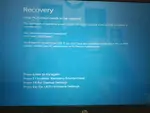
>restart
>boot in windows
<picrel appears
>the damage has been done
>opens the zorin linux on live mode(currently on it)
>opens gemini, asking her fixes,still nothing habbening
>it shows out of 415gb, 413gb space is free, which means the 2gb is the linux root installed, and my files are gone.
i have not been able to recover from this, the amount of information i had on my os was insane.
ZwStGS
No.465217
ab kuch nhi ho sakta anons, im ded
mQyBKl
No.465222
>>465217
You could try to run a file recovery software from Lincucks, don't reinstall Lindows in that partition, you may lose more data from overwrites.
ZwStGS
No.465245
>>465222
Currently on ot

MVrQIl
No.465246
TOPKEK
sorry but i cant help myself.
bhai bhool ja apni porn collection. fresh torrent kar ab nayi nayi. kekda prasad ho gaya tere system ka. kal keh raha tha USB rakhle. ab bhi time hai, koi edu productivity waali bakchodi ke peeche meme distro mat download kar. chup chaap sasti si pen drive khareeb, ubuntu daal khush reh. uske baad kario baaki distros try, depending on your appetite.